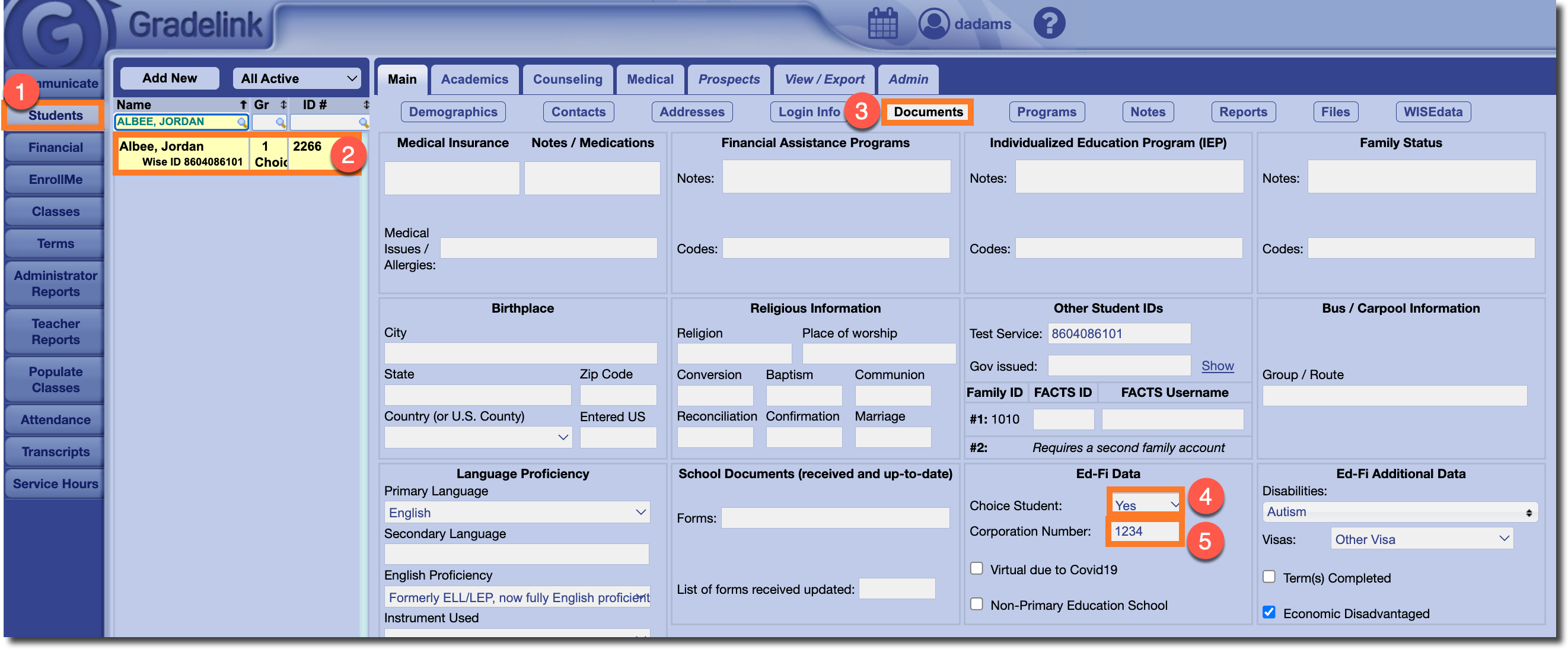
If there are only a handful of Choice students at your school, you can add a "Choice" tag to their student profiles individually.
To do so, simply go to the Students tab and select the student from the list on the left. While in the Main subtab, click on the Documents button. Click on the drop down menu next to Choice Student and select "Yes". Select "No" for non-Choice students. Enter "1234" in the field next to Corporation Number. Don't forget to Save at the bottom right of the page.